DANE Explained
How DNSSEC and TLSA records secure encrypted email delivery and prevent TLS interception attacks
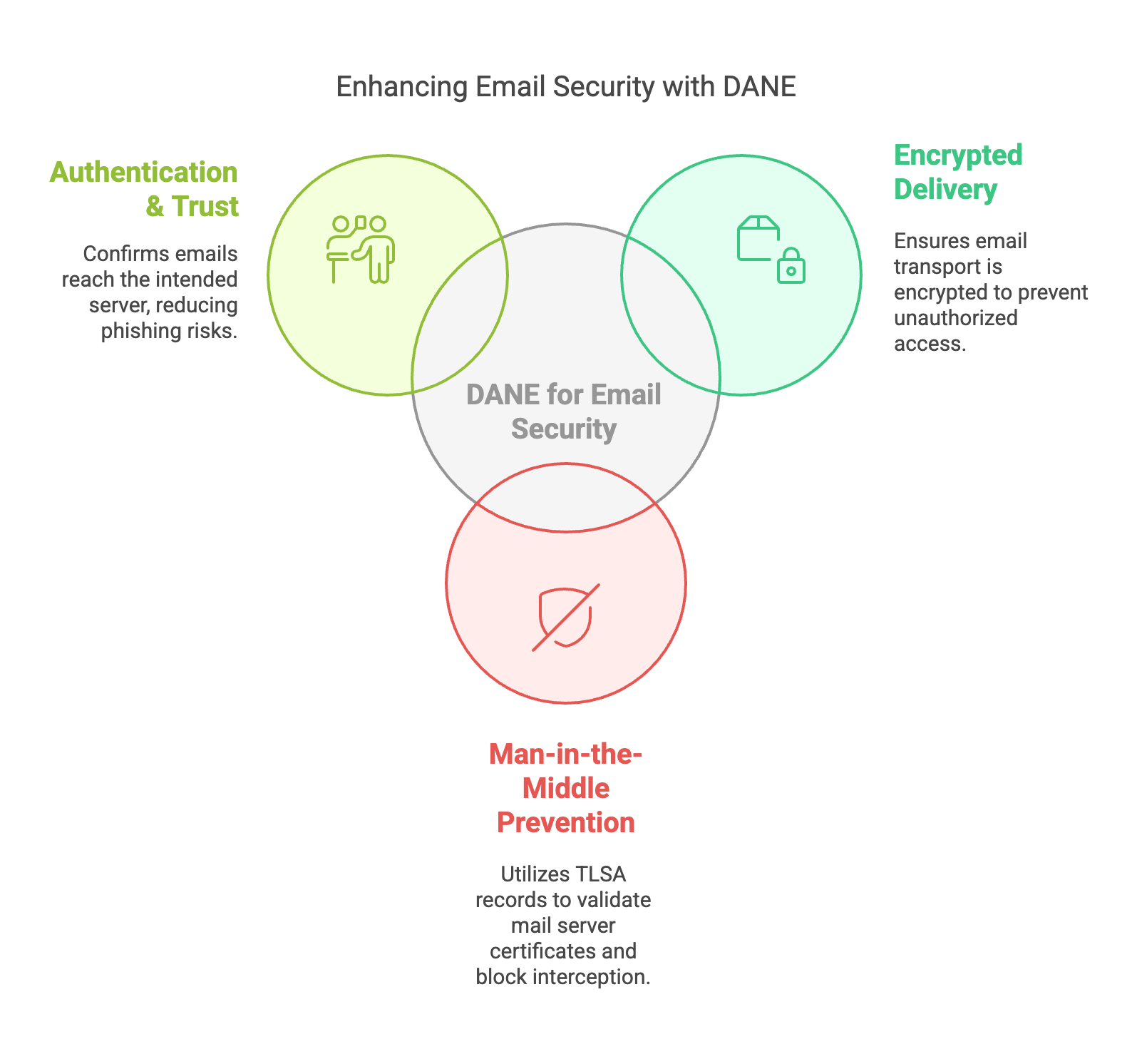
How DNSSEC and TLSA records secure encrypted email delivery and prevent TLS interception attacks
DANE (DNS-Based Authentication of Named Entities) is a DNSSEC-based security technology that allows domains to publish TLS certificate fingerprints in DNS using TLSA records. This allows mail servers and other services to verify TLS certificates using cryptographic DNSSEC validation instead of relying only on traditional Certificate Authorities.
DANE is widely used to secure SMTP email delivery and protect against:
When a mail server delivers email, the following validation process occurs:
Sending Mail Server
        ↓
DNS MX lookup
        ↓
TLSA record lookup
        ↓
DNSSEC validation
        ↓
TLS connection starts
        ↓
Certificate compared to TLSA
        ↓
Mail delivered securely
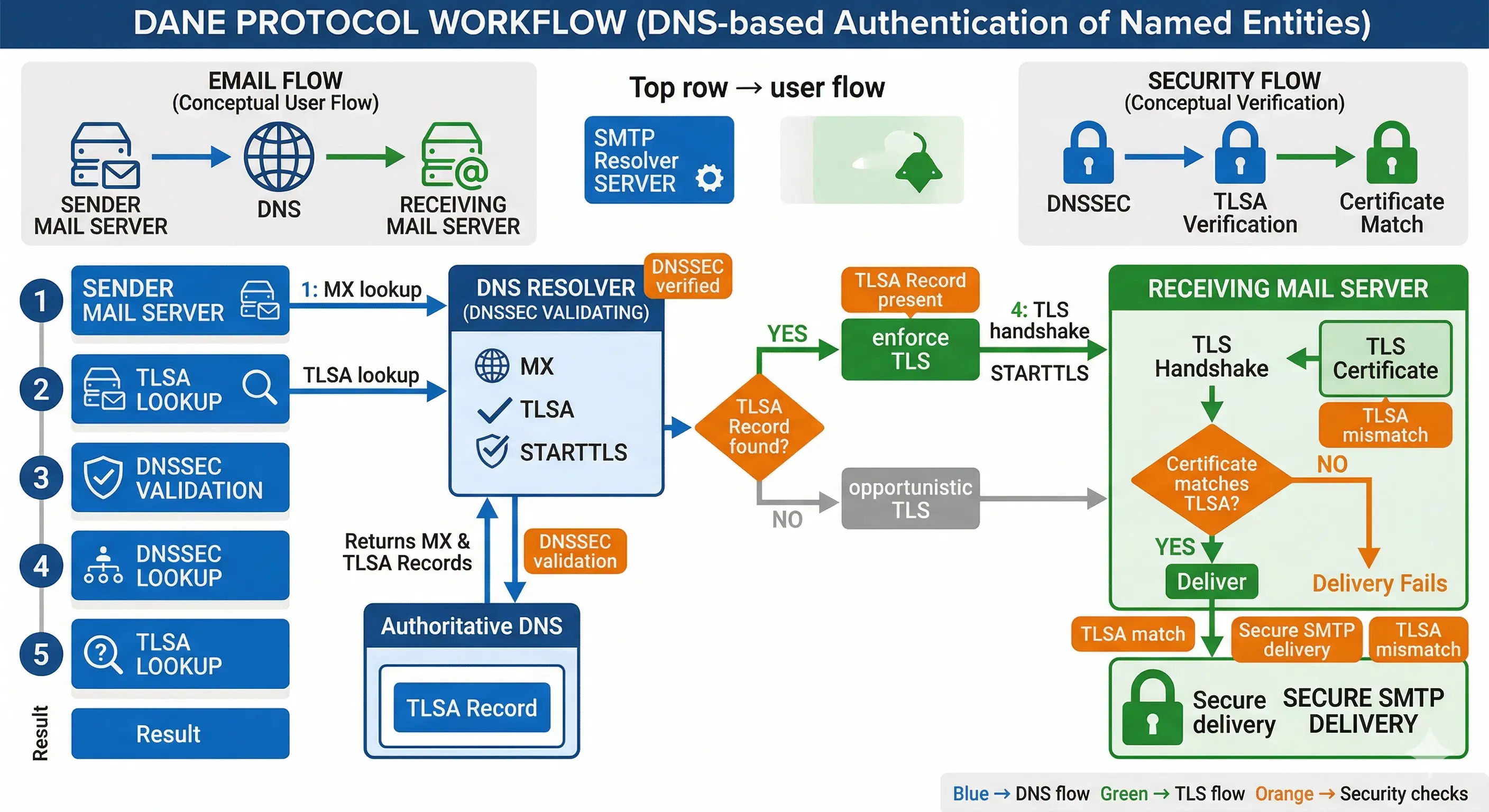
TLSA records bind a TLS certificate or public key to a domain name. Example:
_25._tcp.mail.example.com. 3600 IN TLSA 3 1 1
2A3F1D6E8E2F4C7E9A...
| Field | Example | Meaning |
|---|---|---|
| Usage | 3 | DANE-EE certificate match |
| Selector | 1 | Subject public key |
| Matching | 1 | SHA256 hash |
| Data | Hash | Certificate fingerprint |
The TLSA hash is derived from the TLS certificate or its public key. For SMTP deployments the most common configuration is:
3 1 1Meaning:
openssl s_client -connect mail.example.com:25 -starttls smtp \
| openssl x509 -outform PEM > cert.pem
openssl x509 -in cert.pem -noout -pubkey \
| openssl pkey -pubin -outform DER \
| openssl sha256
(stdin)= 2a3f1d6e8e2f....This becomes:
_25._tcp.mail.example.com IN TLSA 3 1 1 2A3F1D6E8E2F...
Most operators generate TLSA records automatically using tools such as:
tlsa --create --port 25 --protocol tcp mail.example.com
hash-slinger mail.example.com
Postfix supports DANE (DNS-Based Authentication of Named Entities) to authenticate SMTP servers using DNSSEC validated TLSA records. This allows secure SMTP delivery without relying exclusively on Certificate Authorities.
# /etc/postfix/main.cf

smtp_tls_security_level = dane
smtp_dns_support_level = dnssec

smtp_tls_loglevel = 1

smtp_tls_CAfile = /etc/ssl/certs/ca-certificates.crt

smtp_tls_protocols = !SSLv2,!SSLv3
smtp_tls_mandatory_protocols = !SSLv2,!SSLv3

smtp_tls_ciphers = high
smtp_tls_mandatory_ciphers = high

smtp_tls_session_cache_database = btree:${data_directory}/smtp_scache
When sending email, Postfix performs:
MX lookup
    ↓
TLSA lookup
    ↓
DNSSEC validation
    ↓
STARTTLS
    ↓
Certificate match check
    ↓
Secure delivery
_25._tcp.mail.example.com. 3600 IN TLSA 3 1 1
2A3F1D6E8E2F4C7E9A...
dig +dnssec _25._tcp.mail.example.com TLSA
postfix reload

tail -f /var/log/mail.log
Trusted TLS connection established to mail.example.com
DANE significantly improves email transport security by removing blind trust in certificate authorities and replacing it with cryptographic DNS validation.
This is especially valuable for:
| Feature | DANE | MTA-STS |
|---|---|---|
| Trust model | DNSSEC | Certificate Authority |
| Downgrade protection | Strong | Moderate |
| Deployment complexity | Higher | Lower |
| Security strength | Very high | Good |
DANE uses DNSSEC protected TLSA records to authenticate TLS certificates.
A TLSA record binds a TLS certificate or public key to a domain name.
DANE reduces reliance on certificate authorities by publishing fingerprints via DNSSEC.